Being able to change your car’s windscreen wiper blades is a vital car maintenance skill. The process varies from car to car but there are similarities between all of them which we’ve covered below with a step-by step guide and a handy video showing how our experts do it.
Signs your windscreen wipers need cleaning
Cleaning your windscreen wipers
How will I know when to change my windscreen wipers?
Video guide to changing your windscreen wipers
Step-by-step guide to changing windscreen wipers
Other car maintenance blogs you may find useful
Signs your windscreen wipers need cleaning
Windscreen wipers are your car’s unsung heroes, working hard to remove dirt, rain and other debris from your vision. This is why it’s so important to make sure they’re working properly. Here’s what to look out for:
- Your wipers smear, leave streaks or miss particles on your windscreen.
- Your wipers make a loud rubbing noise.
Cleaning your windscreen wipers
Squeaky windscreen wipers don’t automatically mean they need replacing, they may just need to be cleaned. Cleaning them is simple and should be done before any long journey, particularly in winter.
- Start off with a warm container of warm water mixed with a small amount of washing up liquid. You’ll also need several sheets of kitchen roll or a cloth to wipe the blades.
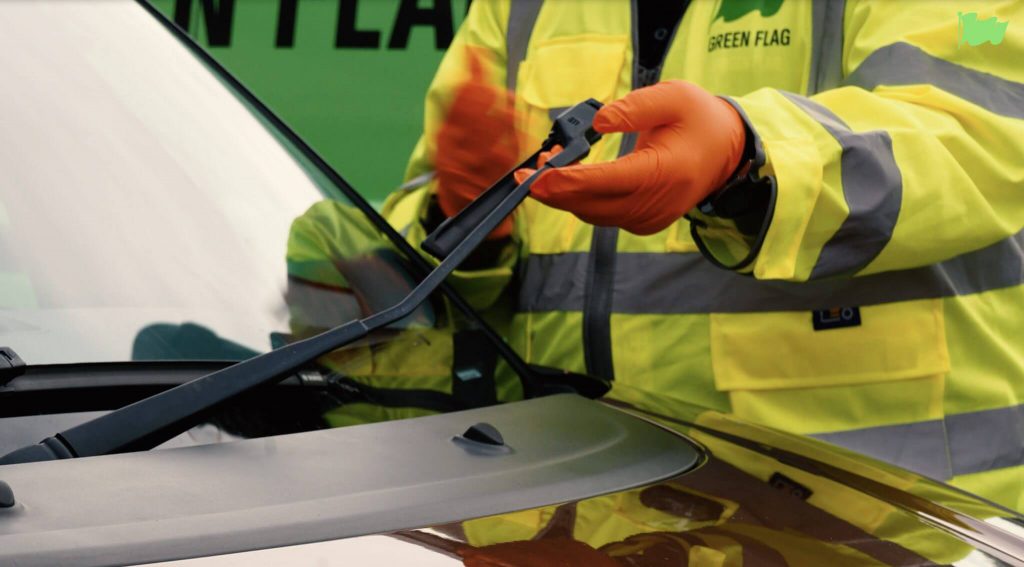
- Carefully lift the first windscreen wiper arm so that it stands away from the windscreen on its own.
- Run the wet kitchen roll or cloth along the wiper’s rubber blade, moving it back and forth while supporting the wiper blade at the same time. Repeat this several times until the blade is clean.
- Slowly lower the wiper back into place on the windscreen and repeat the process with the second wiper blade.
Cleaning the rubbers regularly will prolong the life of the blades and keep them working effectively. However, at some point the rubbers will deteriorate and need replacing.
How will I know when to change my windscreen wipers?
If you’ve cleaned your wipers and they’re still not doing their job, it’s likely time to replace them.
The easiest way to check if your wiper blades need replacing is to check by gently lifting the wiper arm and running your finger along the rubber blades. If they look or feel worn or damaged, it’s probably time to replace them.
Video guide to changing your windscreen wipers
Meet Kema – a real-life Green Flag patrol technician (and all-round hero). Watch him expertly replace windscreen wiper blades, including his signature thumbs-up at the end.
Step-by-step guide to changing windscreen wipers
If video isn’t your thing or you want a text list you can easily refer to, we’ve pulled out all the important information to create a step-by-step guide.
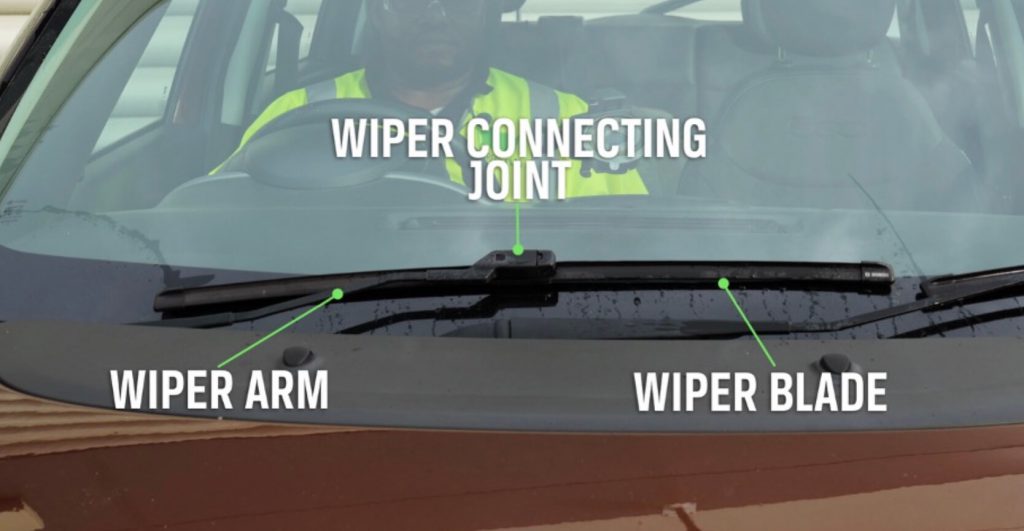
Step 1: Make sure you have the correct replacement wipers
Before starting to remove your current wiper blades, check you have the suitable replacements. You can usually do this by sharing your registration number with the store you’re buying from, but you can also check your car’s manual or have a look online to make sure you have the correct wipers.
Step 2: Park in a safe place and switch your engine off
It’s very important to make sure your car is switched off and you’ve parked up in a safe place away from busy traffic. A car park or a driveway is ideal.
Step 3: Slide the old wiper blades out
Slide the new blade into the wiper arm until it’s securely in place (some fittings will click into place) or follow the instructions on the packaging. Once fitted, place the wiper arms back into their natural position. They should now be ready to use.
Step 4: Fit the new wiper blades
You’ll find two clips on the wiper blade. Release them both and carefully slide the wiper out. Then carefully place the wiper arm onto the cloth against the windscreen.
Step 5: Test your new wipers
Try the wipers out by wetting the windscreen and checking the wiper arms move as they should and the blades clear the screen without any unusual noises. If you can clearly see through your windscreen afterwards, it’s a job well done!
So, there you have it. Lovely, brand new, clean, reliable and non-squeaky windscreen wipers. If you need any further help, check out more Green Flag car maintenance advice, our frequently asked questions, or contact us.